Wednesday, 17 April 2013

web design bangalore

Digissofts technologies - offers website design, web development, web hosting, Domain registration and many more. We develop unique website solutions to increase effectiveness and aggressive advantage of companies by enabling web technologies for their businesses. 


Wednesday, 8 August 2012

Windows xp Auto log off (Infected with Virus)

  • Boot from windows xp bootable CD
  • Press R when asking installation
  • Go to windows installation drive (C: or d:)
  • Enter password
  • C:\copy g:\I386\USERINIT.EX_ C:\WINDOWS\system32\USERINIT.EXE
After copying file
Type Exit
System reboot Normally wait till boot
 
Work Done!

Friday, 18 May 2012

How to empty Kaspersky QB folder

Open Kaspersky anti virus 2012
Go to Setting 
Advance Setting
Click on Self-Defense - Uncheck Enable self Defense
go to c drive documents and settings 
All Users
Application Data  
(if you didn't get application data folder enable show all files in folder options)
Kaspersky Lab
AVP12
QB Folder 
Select all files delete


Don't forget to enable self defense after you finish above job


web design Bangalore


Sunday, 26 February 2012

Transcend pen drive not formatting and Remove write protection from transcend pen drive

Your pen drive affected with virus and pen drive not formatting download below tool 
Click here Download 
enter your email address, country and language 
then format your pen drive ready to use


Web Development bangalore

Wednesday, 25 January 2012

Unhide hidden files through cmd if your system infected with virus

Download file
http://digissofts.com/test/digis_unhide_folders.rar


1. Extract downloaded file
2. Copy n paste bat file wherever you want,
2. Run,
3. Your hidden files will be unhide in which drive you placed this file 


This file helps you to recover your valuable files n folders when your system infected with virus

Web hosting Bangalore 


Monday, 7 November 2011

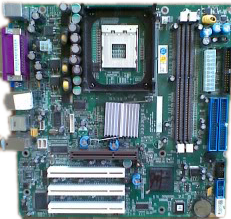
Samsung harappa-12 mother Board Drivers

Samsung Harappa-12 Driver Download
 

VGA Driver - Click Here  Select Operating Sysytem and Download

Sound Card - Click Here

Lan Driver - Click Here     Select Operating Sysytem and Download

Rating me if helpful  

Affordable web hosting Bangalore
     

Wednesday, 17 August 2011

Drive does not open on double click asking open with option windows xp Operating System


  • Start run
  • Type cmd enter
  • If your operating system installed in c drive with administrator rights, It will show like this
C:\Documents and settings\Administrator>
Type cd.. enter
C:\Documents and settings>
Type cd.. enter
  • Type attrib -h -r -s autorun.inf enter
  • Then go to Start > Settings > Control Panel > Folder Options > View tab
  • Check on show hidden files and folders
  • Unchecked hide extensions for known file types
  • Unchecked hide protected operating system files
  • Explore C Drive delete autorun.inf file
  • Same above as other drives(D, E, F)
  • Ex. D:\> attrib -h -r -s autorun.inf
Explore D drive delete autorun.inf

Restart after complete all drives